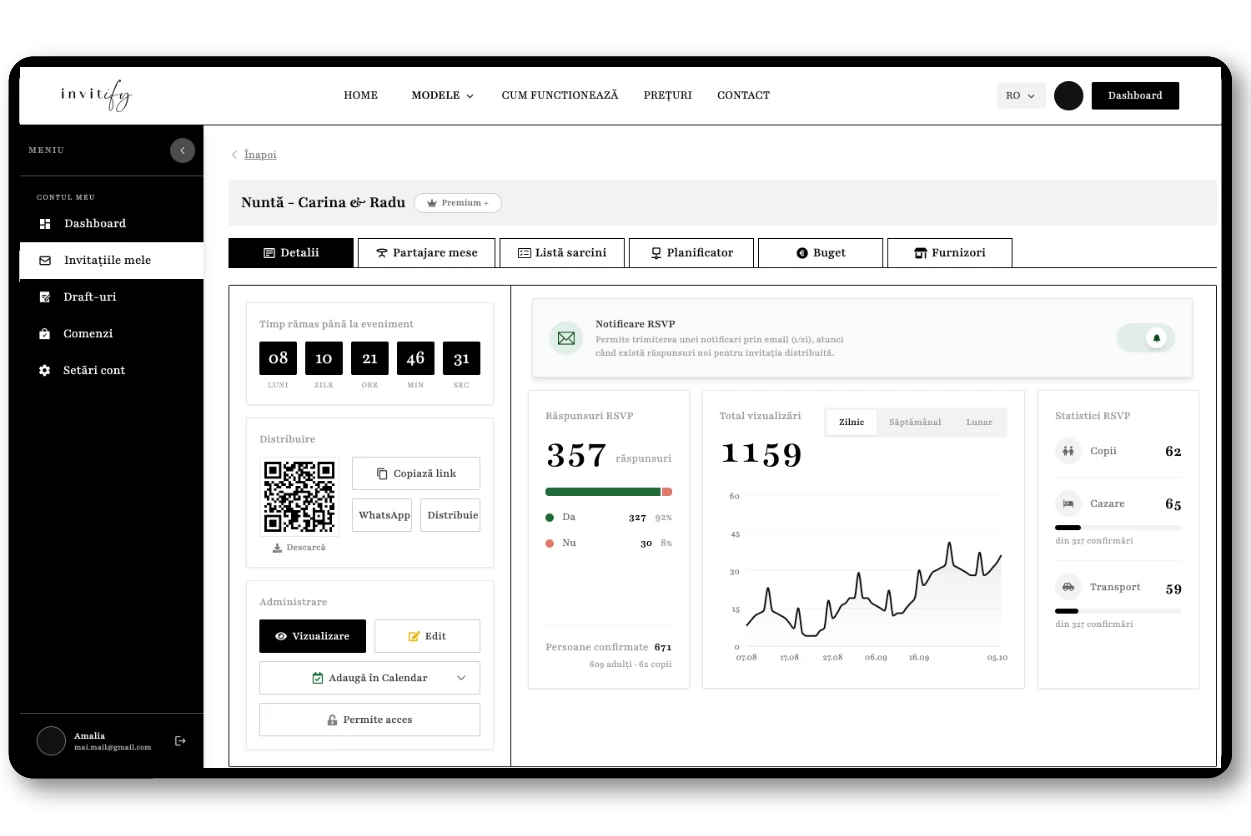
Automatic RSVP
From the Essential packageGuests confirm straight from the invitation, with no account and nothing to install. The reply lands in your dashboard instantly: name, number of guests and message. From Premium up, the form also collects menu choice, children, transport and accommodation, and you get an email notification for every reply.
One guest list, one table
From the Essential packageSee at any moment how many confirmed, how many declined and who has not answered yet. Filter the list, edit a guest manually and send a reminder only to those still pending. From Premium you export everything to PDF, Excel or CSV, so the venue gets an exact number.
Floor plan and seating
From the Premium packageBuild the room layout and seat guests by drag and drop, directly on top of your confirmed list. Export the plan to PDF, Excel or CSV, and on the day itself guests find their own table by scanning a QR code, without anyone standing at the door with a printed list.
Budget
From the Premium+ packageTrack estimates against real spending by category, with reports that show where you stand against the plan. If you want, you can link a vendor to a budget expense manually, so the contract figures also show up in the vendor reports.
Checklist
From the Premium+ packageEverything to be done before the wedding, with visual progress: what is finished, what is next and what is running late. The list is fully customisable, so it follows your pace instead of a generic template.
Timeline planner
From the Premium+ packageLay out the stages of the event on a timeline — from booking the venue to the schedule of the wedding day — so you can see at a glance which deadline is coming up.
Vendors
From the Premium+ packageVendor contacts and the status of every contract, with the option to link a vendor to a budget expense manually. Photographer, band, florist, bakery — all in one place instead of scattered across phone conversations.
Planning together
Premium and Premium+From Premium you can give another person access to the invitation. From Premium+ you get collaborative access with distinct roles — admin, editor or viewer — so family can help with the planning without being able to change what they should not.